
Repository maintenance
Worktrees and branches pile up. Repository maintenance…, at the
bottom of the sidebar beside Fetch all repos and Try pull
all, clears them out across every repository in the profile in
one pass, and then runs git gc so the space actually comes back.
The dialog has four tabs:
| Tab | What it does |
|---|---|
| Combined | All three steps below, in order, in this window’s profile |
| Worktrees | Remove finished worktrees, or only their ignored files |
| Local branches | Delete branches whose work has landed |
| Garbage collection | git gc on every repository |
Nothing on a remote is touched by any of them.
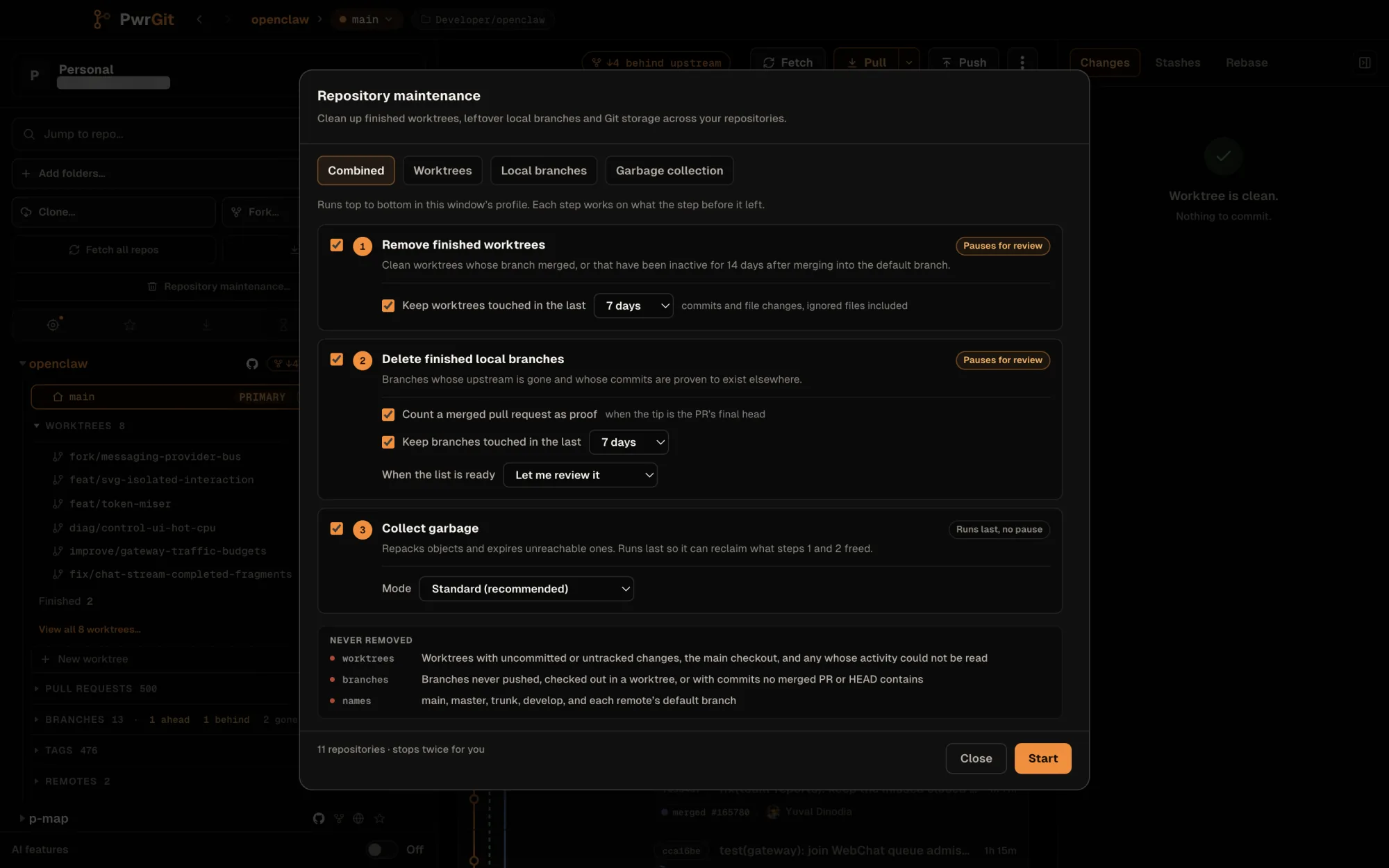
Combined
The Combined tab is a plan with three numbered steps, each with a checkbox and its own rules:
- Remove finished worktrees — Pauses for review. Keep worktrees touched in the last 7 days is on by default; touched counts commits and file changes, ignored files included.
- Delete finished local branches — Count a merged pull request as proof (on), Keep branches touched in the last 7 days, and When the list is ready: Let me review it or Delete without asking.
- Collect garbage — Runs last, no pause, with a Mode of Standard (recommended), Keep largest pack or Aggressive compression (slower). It runs last so it can reclaim what the first two steps freed.
The footer says how many times the plan will stop for you. Start runs it. A step rail across the top shows where it is; each step works on what the step before it left, and if a step fails the run stops there rather than carrying on.
The finished screen is a receipt: per step, what was removed and how much object storage came back, with Show to expand the detail. Deleted branches each carry a Restore button. Removed worktrees cannot be restored. New plan starts over.
Worktrees
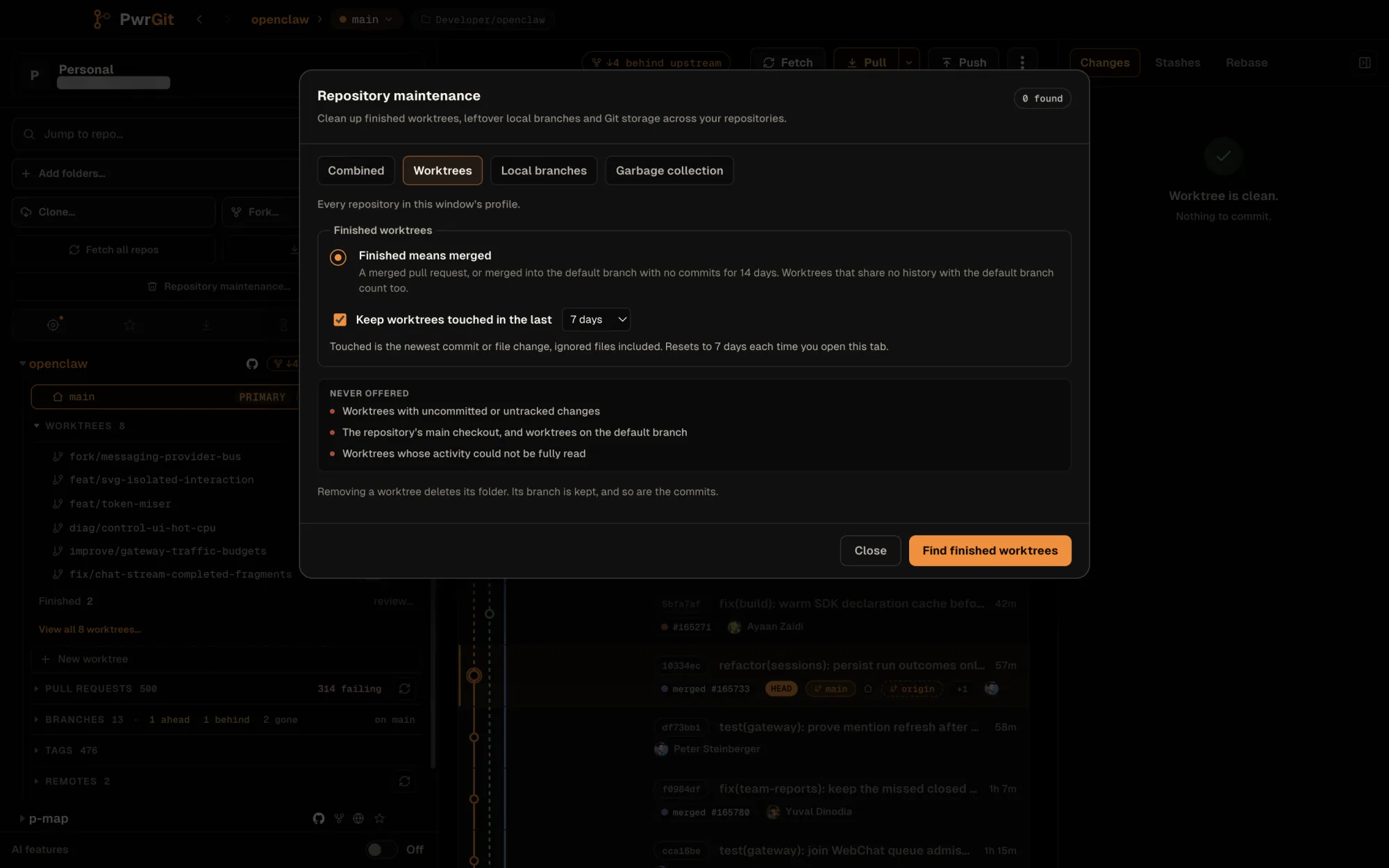
Find finished worktrees sweeps every repository in the profile and lists the prunable ones — clean, and either their pull request merged, or merged into the default branch (or sharing no history with it) with no commits for 14 days. Each row names its reason — merged PR #12, merged into main, no common ancestor with main — and its size on disk, biggest first.
Nothing is ticked until you tick it. Removing a worktree deletes its folder; its branch and commits are kept.
Never offered:
- worktrees with uncommitted or untracked changes;
- the repository’s main checkout, and worktrees on the default branch;
- worktrees whose activity could not be fully read.
The Keep worktrees touched in the last guard hides recent ones on top of that. On this tab it resets to 7 days each time you open it; a finished worktree it protects is counted under Kept, not dropped silently.
Reclaim disk space without removing the worktree
Sometimes the worktree is worth keeping and only its build output
is not. Reclaim disk space… works on the ticked worktrees and
deletes only files .gitignore covers — node_modules,
target, dist, build caches. It never touches untracked files
that no ignore rule covers; that is uncommitted work.
The preview is git’s own dry run (git clean -X), biggest first,
under What would be deleted. Ignored is not the same as
worthless, so these are spared by default:
.env* · *.local · *.sqlite · *.sqlite3 · *.db · *.pem ·
*.key · *.p12 · .vscode/ · .idea/
The spare list is editable. Change it and Update preview before deleting; the confirmation names the byte total, the number of paths, and what is being spared.
Local branches
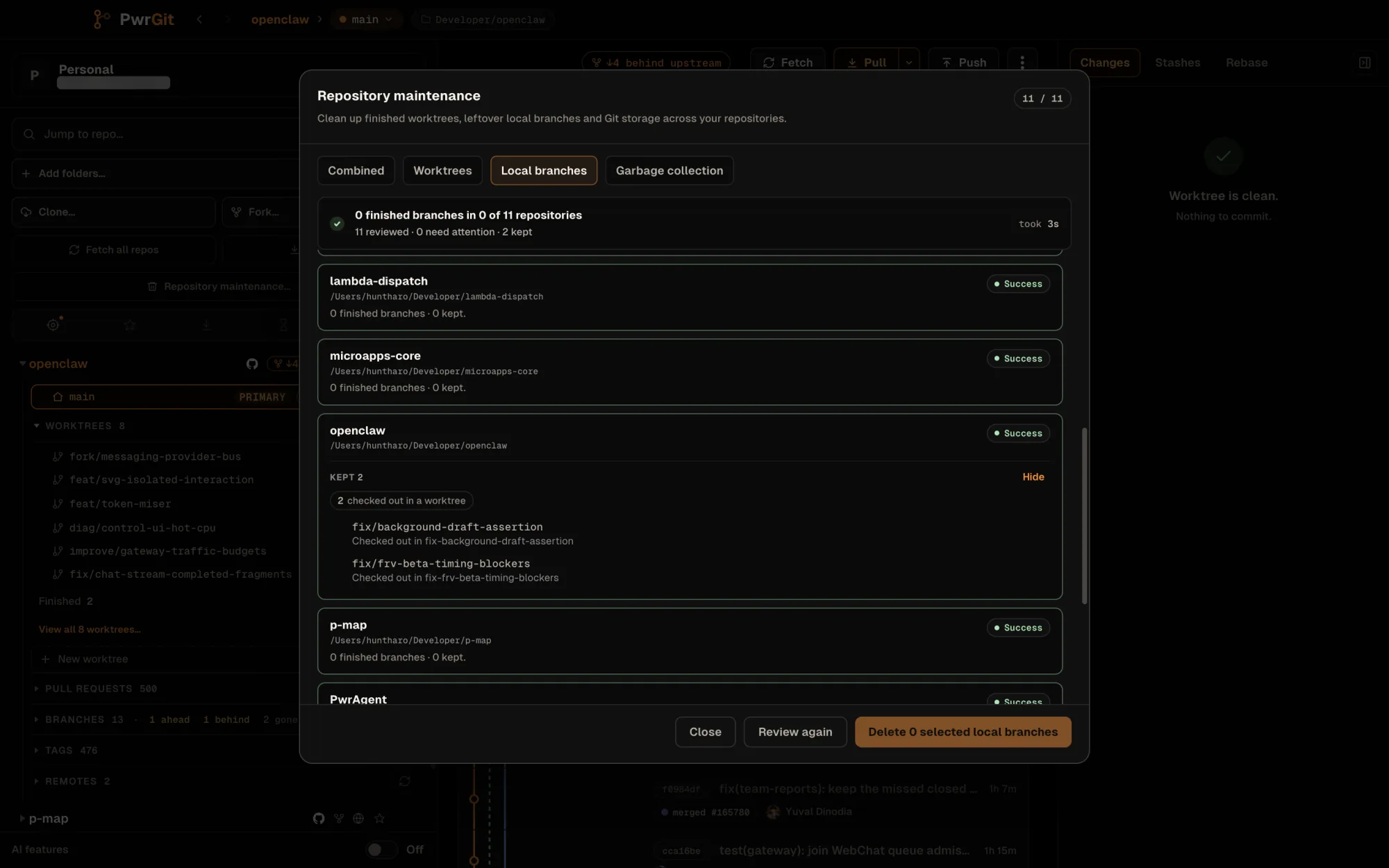
A finished branch is a local branch whose work has provably landed somewhere else. Review local branches checks every repository and offers a branch only when:
- its upstream ref is gone on a remote that is still configured — usually because the pull request merged and the remote branch was deleted; and
- every commit on it is proven to exist elsewhere: either the tip is Already in HEAD by ancestry, or — with Count a merged pull request as proof on — a merged pull request’s final head is the branch’s tip. That second proof is what finds squash and rebase merges, and it refuses a branch that gained a commit after the merge.
Never offered:
- branches never pushed, or with commits no merged pull request or
HEADcontains; - branches checked out in any worktree;
main,master,trunk,develop,development, and each remote’s default branch.
Branches inside the Keep branches touched in the last guard — newest of last commit and last checkout, 7 days by default, remembered — are listed as kept, each with the reason it was kept.
Candidates are ticked by default. Delete n selected local branches removes only the local names. Each branch is checked again at its reviewed tip just before deletion, and one that moved since the review is refused rather than deleted.
Restore recreates a deleted branch at the tip it had, for as long as git still holds that commit.
A branch is only gone once a fetch has pruned its remote ref. PwrGit’s fetches prune, so if remote information is stale, run Fetch all repos first.
The refs browser reaches the same review for one repository: Branches → Gone → Clean up finished branches… opens maintenance scoped to that repository, with only the Local branches and Garbage collection tabs.
Garbage collection
Run garbage collection repacks objects and expires unreachable ones on every repository in scope, by mode:
| Mode | Runs |
|---|---|
| Standard (recommended) | git gc |
| Keep the largest pack | git gc --keep-largest-pack — less repacking work, may leave more storage |
| Aggressive compression | git gc --aggressive — much slower, more CPU and memory, no guaranteed size reduction |
PwrGit runs collection in the foreground, up to four repositories at a time and never more than half the CPU cores. Repositories that share an object store are collected once. Worktree registrations are always preserved — a missing worktree may be on an unmounted volume — and your own git retention settings still apply.
Before-and-after figures measure loose objects and packs
(git count-objects -v), not free disk space. Repacking needs
temporary space, and snapshots can delay space returning to the
volume.
Garbage collection never removes branch names. If it finds finished branches along the way, it says how many and offers Review….
Scope
Include all profiles, on the Local branches and Garbage collection tabs, widens the run from this window’s profile to every known repository. Combined and Worktrees always work in the current profile.